Should you automate it yet?
Before you automate a job, make sure at least one person is clearly in charge of it. Right now, two or three people each glance at it whenever they happen to think of it. That feels like plenty of attention, but each of them assumes one of the others already checked, so a mistake can sit there for weeks. Pick the person who looks at the results every time and who gets told when something breaks. Others can still help, but that person answers for it.
There are four more situations where we’d wait, and they’re further down.
Check the job first, then check each case
The two checks we run, in order
First we ask whether the job itself is ready for software. Then, for every case the software handles, we ask whether a mistake would cost money or reach a customer. If it would, a person sees it before it goes.
Take one case from last week
Do the people who do this job agree on the steps, who is in charge of it and which record to believe?No, they each do it differently
Yes, it runs the same way each time
Get them to agree first
Write the steps down, name who is in charge and settle which record wins. Build before that and the software copies whichever version it was given, mistakes included.
Don’t build yet
Automate the repeatable part
Software moves the routine cases along: checking them, filling them in or getting them ready for someone.
Build it, with the check below
For every case, before anything goes out
Could a mistake in this case cost money, reach a customer or put someone at risk?No, it’s a routine case
Yes, it could
Let it finish and keep a record
The case goes through on its own, and anyone can look back later and see what happened and when.
Get it ready, then a person decides
The software shows the case and what it would do. The person in charge sends it, changes it or stops it.
Four more reasons to wait
A job isn’t ready to automate while the people who do it each do it their own way. That feels fine because the team does the job every day and knows it by heart. But ask two of them to walk through the same case and you get two different answers, say one refunds before checking the payment and the other after. Software will pick one of those without telling anyone, and then the disagreement lives inside a system nobody feels able to question. So take one real case from last week and write it down from the first step to the last, with the exceptions and the record your staff trust, and get the team to agree on it before anyone builds.
Anything that goes straight to a customer, like a payment, a quote or a message to a patient, needs a person checking it at first. Sending it without a look feels fine because nearly all of them will be right. The few that are wrong reach a real person, and you find out when they complain, which can be days later. So have someone read each one before it goes, until you’ve seen how often the software gets it wrong. If there are too many to read, read the unusual ones and the ones where a mistake costs the most, like a large payment, and make sure there’s a way to stop or undo one that slips through.
A job that rarely comes up can cost more to automate than it wastes. Automating it feels smart because the task is annoying. But say it happens twice a month and takes ten minutes each time. That's about four hours a year, and a custom build also needs time for testing and support. Count how many times the job happens in a month and how many minutes each one takes. If the total is small, a template or a simpler form is cheaper.
Automation copies whatever your records say, so records that disagree have to be settled first. Maybe two systems hold different versions of the same customer, or fields are missing or entered twice. People cope with that today because they know which one to believe, like knowing the booking system is usually right about times and the spreadsheet about phone numbers. Software doesn’t know that. It copies whatever it’s given, so a wrong phone number means every reminder goes to the wrong person. Before you build, decide which record you’ll believe when the two disagree, and fix the missing and doubled fields.
What this looked like in our work
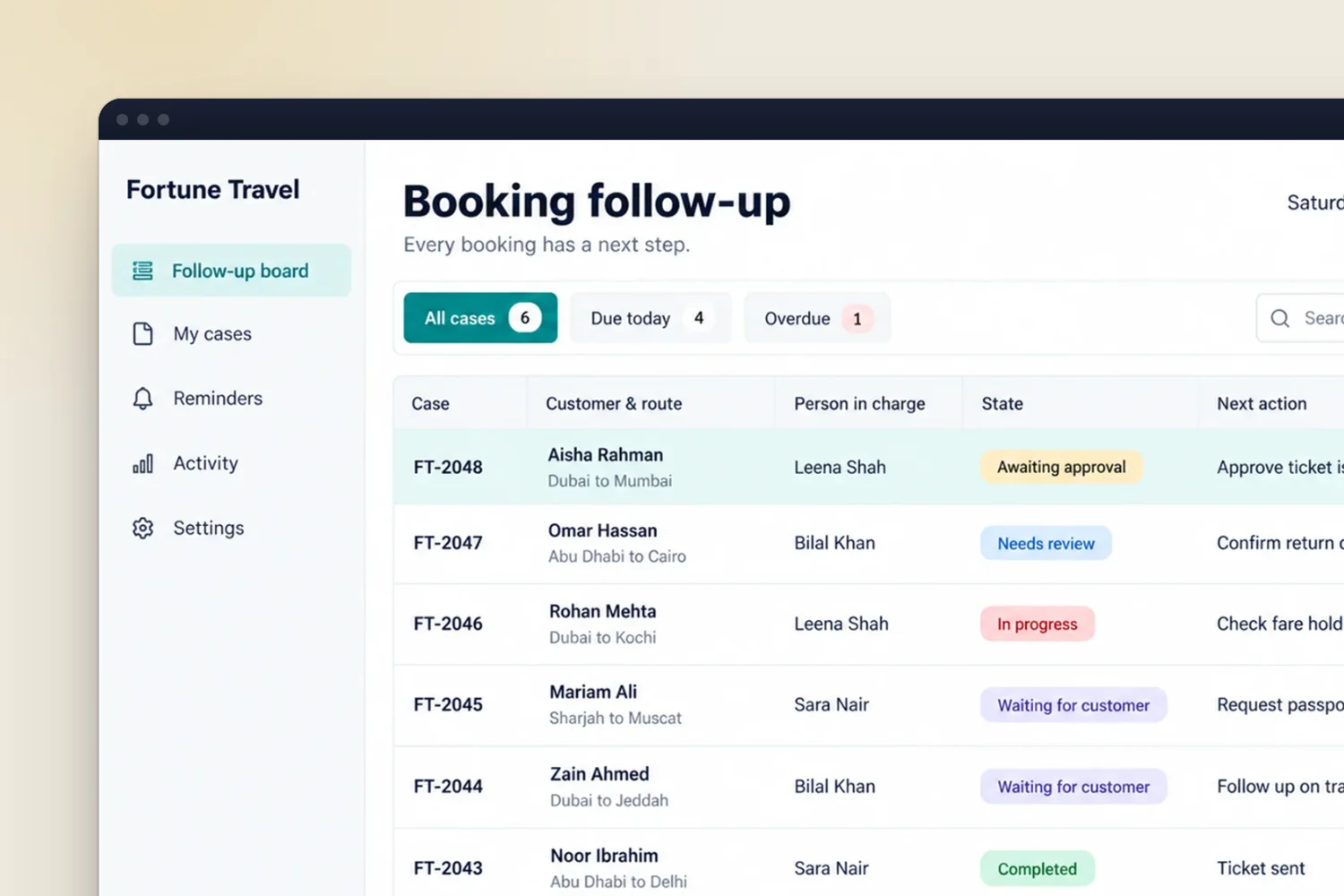
Travel operations: assessment and design complete
The owners were opening chat threads and booking records themselves to find out what needed doing, and a ticket’s issuance deadline had nobody’s name on it. The design starts with one shared follow-up list where every booking has a person, a next action and a deadline. It holds the accounting work back on purpose, even though accounting was the bigger problem.
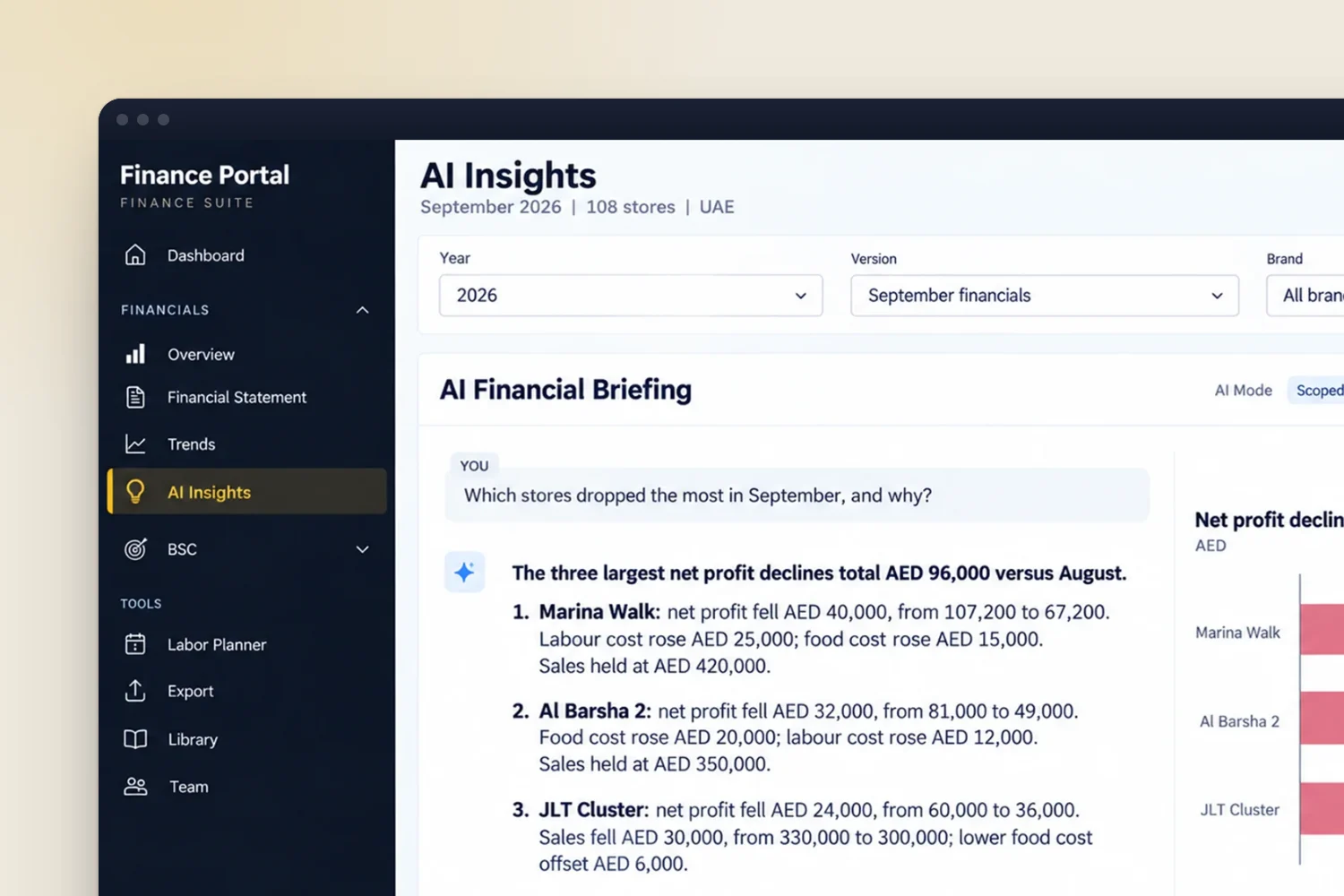
Finance reporting: live
Before any report is built, each location’s monthly total is checked against the finance source it came from. In the audited quarter all 303 matched. AI helps someone look into why a number moved. It never decides which number is right.
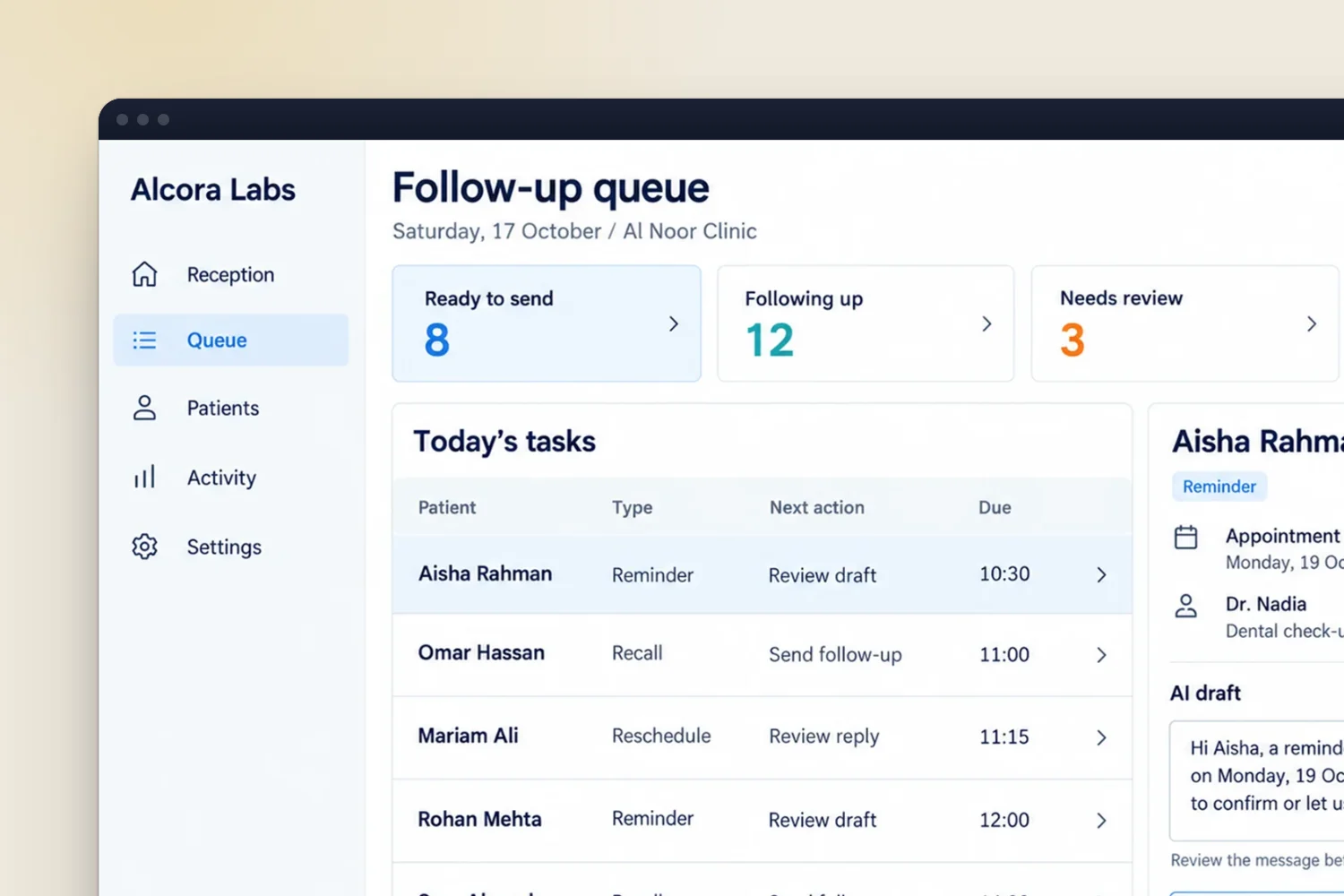
Clinic follow-up: pilot-ready
Nothing reaches a patient until someone at reception has read it, and anything sensitive or unclear stays with a person from start to finish. It’s built and ready to pilot in a clinic, and we make no claim yet about how many appointments it recovers.
Name the person in charge first.
How much automation is enough?
Start with less than you’d think. When we designed Alcora Labs, our follow-up product for clinic reception, we started with a list. It puts every reminder, reschedule and recall in one list with four states: ready to send, following up, needs review, completed. We started there because at a busy front desk that work gets fitted in between patients and phone calls, and tracked from memory and chat messages. That holds until a busy day, and then the patient who never replied doesn’t get chased and nobody notices. With the list, a patient who hasn’t replied remains on the list until someone deals with them.
After that, software can prepare the work. It prepares the routine follow-up message, and reception reads it and decides whether it goes. So only the preparing is automated, and anything sensitive or unclear stays with a person, because those are the cases where a wrong guess costs a patient.
Before you widen any of it, run one pilot and count. For Alcora, a first pilot would take a baseline of missed appointments, then count the reschedules, the visits completed afterwards and the reception time the list takes. For any job, count how many cases came through, how many were wrong, how long a person spent checking them and how long it took to fix a mistake. Those numbers tell you whether to expand, and a demo can’t, because it only shows the software working once on a tidy example.
Questions people ask
When should you not automate a business process?
Wait when nobody is clearly in charge of the job, when the people who do it each do it their own way, when it goes straight to a customer with nobody checking it, when it rarely comes up, or when your records disagree. Fix each of those first.
Who should be in charge of an automated job?
Whoever checks the results every time and hears first when it breaks.
Is it worth automating a task that rarely happens?
Often not. A job that happens twice a month and takes ten minutes each time is about four hours a year, and a custom build also needs time for testing and support. Small totals go to a template or a simple form.
Should a person check automated messages to customers?
At first, yes. Have someone read each payment, quote or customer message before it goes, until you’ve seen how often the software gets it wrong. If there are too many, read the unusual ones and the ones where a mistake costs the most, and keep a way to stop or undo one that slips through.
What should you fix in your records before automating?
Decide which record you’ll believe when two systems disagree, and fix the missing and doubled fields. Software copies whatever it’s given, so a wrong phone number means every reminder goes to the wrong person.
How much automation is enough to start with?
Less than you’d think. Start with one list that keeps track of the work, let software prepare the routine items for a person to approve, then run one pilot and count the cases, the mistakes and the checking time before you widen it.